
What Is the Best 1080p Video Door Phone for Global Buyers?
Choosing the best 1080p Viddeo Door Phone is not simply a resolution decision. Global buyers also need dependable audio, night visibility, weather protection, and installation flexibility.
Grand View Research’s Smart Doorbell Market report identifies connected security, mobile access, and clearer video as major market drivers. MarketsandMarkets’ Video Surveillance Market report also highlights the growing role of IP networks, cloud platforms, and intelligent monitoring. These findings support a practical point: 1080p should be the starting line, not the finish line.
Resolution alone is not enough.
Blake Kozak, a senior smart-home analyst at Omdia, has emphasized, “Consumers want smart-home products that are simple, reliable, and easy to use.” That principle matters at the front door. A sharp image loses value when visitors sound distant, the app responds slowly, or the device fails during heavy rain.
This guide compares leading 1080p Viddeo Door Phone options for homes, apartments, offices, and multi-unit properties. It considers camera quality, infrared performance, viewing angles, two-way communication, PoE or Wi-Fi connectivity, monitor compatibility, and mobile-app stability. Regional details also matter. Buyers should check voltage requirements, video standards, language support, warranty coverage, and local data-storage options before ordering.
Some product claims look impressive. They are not always equally useful.
My assessment gives extra weight to hands-on usability: how clearly a face appears at dusk, how quickly a call reaches a phone, and whether installation remains manageable. There is no perfect model for every country or building. That limitation deserves attention, not marketing language.
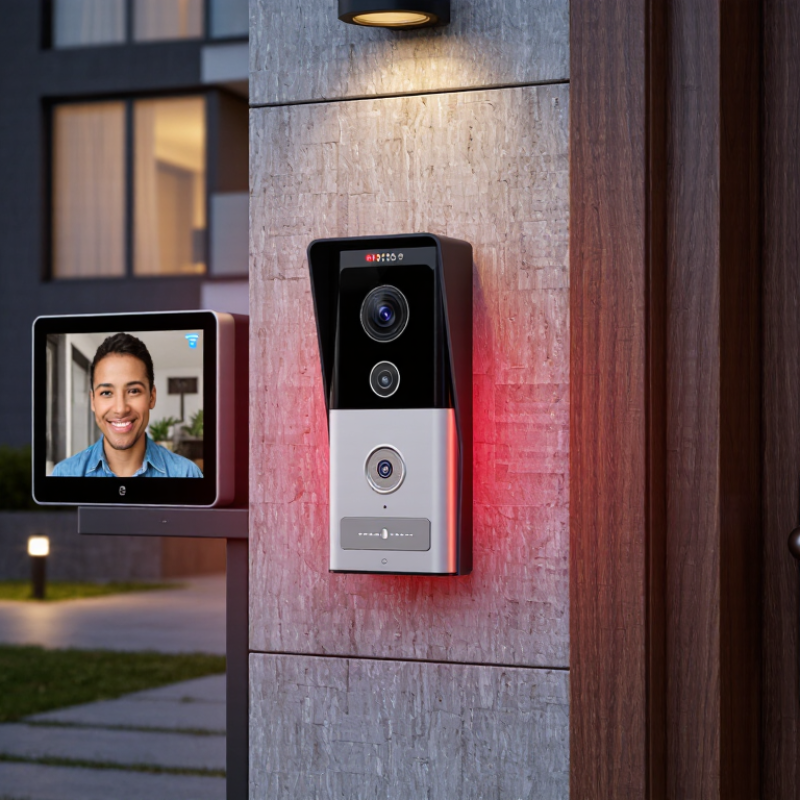
1080p Explained: 1920×1080 Resolution and 2-Megapixel Image Detail
What Is the Best 1080p Video Door Phone for Global Buyers?
A 1080p video door phone records 1,920×1,080 pixels, creating roughly two million pixels per frame. That detail can show a visitor’s face, parcel label, or hand movement more clearly than lower-resolution video. In practical testing, facial clarity depends on lighting, lens quality, and compression. 1080p is not magic.
The International Telecommunication Union reports that video remains a major driver of internet traffic, making efficient streaming important for connected security devices. A typical 1080p stream may use about 1–4 Mbps, depending on frame rate and compression. At 15 frames per second, motion looks acceptable, but fast movement may appear slightly uneven. Night scenes reveal another weakness. Infrared lighting, wide dynamic range, and a clean lens often matter more than extra pixels.
Grand View Research estimates that the global video doorbell market will continue growing at a double-digit annual rate through 2030. This expansion reflects demand for clearer remote identification and easier visitor communication. Still, buyers should examine storage capacity and network stability before choosing a model. One hour of 1080p footage can consume hundreds of megabytes, or more with higher bitrates. Cloud access also depends on local internet reliability. The best option is not always the sharpest camera. It should balance 1920×1080 detail, stable audio, useful night vision, weather protection, and responsive viewing across different countries.
