
147 Mill Ridge Rd Suite 232
Lynchburg, Virginia 24502
Phone 757-982-3665

7 Tips for Choosing a Wireless Intercom for Elderly Care

Choosing the right Wireless Intercom For Elderly care is more than comparing prices or signal ranges. It can shape how safely an older adult asks for help, especially during a fall, dizzy spell, or lonely night. A dependable system should make communication simple, fast, and comfortable for daily use. Large buttons, clear audio, visible status lights, and easy charging matter in real homes. So does placement.

Think about the older person’s routine. Is the bedroom upstairs? Does the bathroom door block sound? Can the user hear a soft chime through hearing aids or background television? These practical details often matter more than impressive technical features. Experience from family caregivers and professional care settings suggests that reliability, privacy, and straightforward controls deserve careful attention. A backup power option may also reduce worry during short outages.

No device is perfect. Wi-Fi can fail. Batteries weaken. Some advertised ranges work only in open spaces, not through concrete walls. This is easy to overlook. The seven tips in this guide examine range, audio quality, installation, emergency usability, maintenance, and support. They also encourage families to test the intercom at different times of day, from several rooms, before depending on it. A short trial can reveal confusing buttons, delayed alerts, or uncomfortable volume levels. The best choice is not always the newest model. It is the one an older adult can use confidently, and caregivers can trust when every second matters.
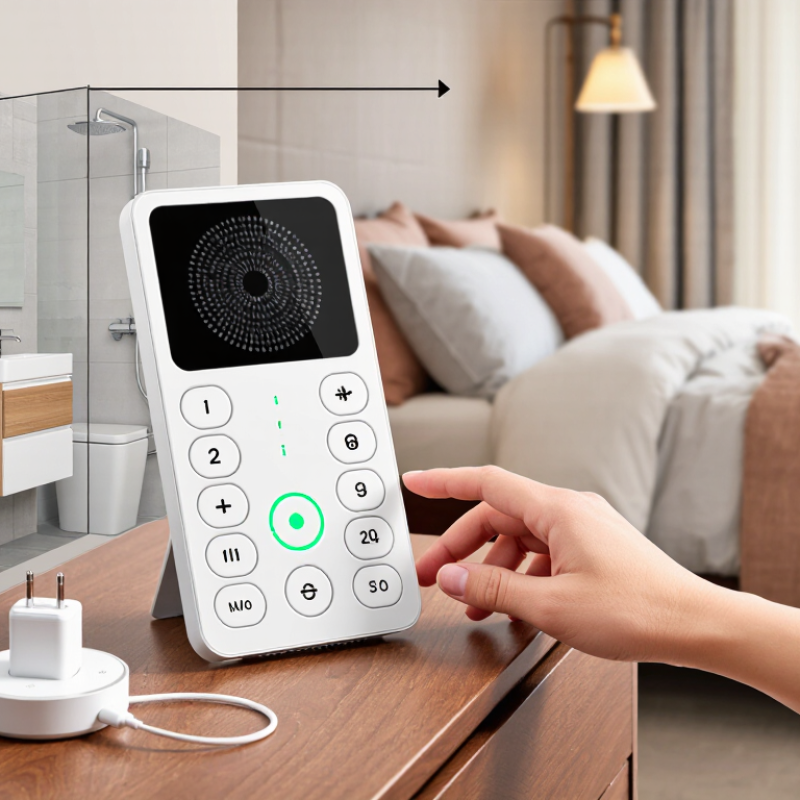
7 Tips for Choosing a Wireless Intercom for Elderly Care

Define Care Needs and Communication Scenarios

Map the moments when help is needed: a caregiver checking in from the kitchen, an older adult calling from a bedroom, or someone needing assistance after a nighttime bathroom trip. WHO’s Ageing and Health fact sheet (2022) projects that one in six people worldwide will be aged 60 or older by 2030. Needs vary widely, so avoid choosing a system based on age alone. The CDC reports that about one in four adults aged 65 and older falls each year. An intercom cannot prevent falls, but clear, reliable two-way communication may help someone request assistance. Define who answers, how quickly, and what happens if the first person misses the call.

Walk the actual rooms before deciding on device placement. Check whether voices carry through closed doors, whether a call button is reachable from bed, and whether kitchen noise masks speech. Quiet rooms matter. Include hearing needs, night-time use, charging routines, and the distance between rooms. AARP’s 2024 Home and Community Preferences Survey found that 75% of adults aged 50 and older want to remain in their homes as they age. That makes everyday usability important, not just range on a product specification sheet. A neat floor plan can still mislead. Test the proposed setup during a normal day and after dark; note any missed calls, awkward reach, or privacy concerns before settling on it.

Assess Range, Signal Reliability, and Home Layout

An intercom’s advertised range is usually measured in open space, not through a lived-in home. Brick walls, metal appliances, and closed doors may weaken its signal. Map the rooms where a caregiver and older adult spend time, including the bathroom and back bedroom. Then test between those exact spots. Try the kitchen with its microwave running, and check the upstairs landing with doors closed. Listen for broken speech, delay, or crackling. A clear call beside the base unit proves little. Small details matter.

Home layout can create dead zones around stairwells, thick walls, or distant corners. Walk the route while speaking, rather than testing from one fixed position. Repeat the check at different times, since other household devices may affect signal quality. Retest after moving a unit. Place it where the older adult can reach it easily, not where the signal is strongest but access is awkward. If calls drop in a critical room, consider a system with suitable additional units or a different placement. One test is not proof of reliable coverage; daily use may reveal weak spots you missed.

Compare Audio, Video, and Emergency Alert Features

Audio quality matters most when a caregiver needs to understand a quiet voice from another room. Check whether the intercom handles background noise, such as a television or running tap. A large call button and clear volume controls can help someone with limited dexterity. Clarity matters. Test the unit from the bedroom, bathroom doorway, and usual chair; one nearby-room test may miss weak spots.

Video adds useful context, such as seeing whether a person has reached the doorway, but it needs good low-light performance and a stable connection. Consider camera placement carefully. A camera should not point toward private areas, and some older adults may find constant monitoring uncomfortable. Emergency alerts are different from ordinary calling: check whether an alert is clearly distinct, loud enough, and sent to the right caregiver or receiver. Test it at different times of day. I would not assume that an alert guarantees help; someone must be available to respond, and power or network failures can interrupt service. That limitation is easy to overlook.

Check Usability, Accessibility, and Caregiver Controls

Tip: Check usability with the person who will use the intercom most. Ask them to press the call button, answer a call, and adjust the volume without coaching. Are the buttons easy to distinguish by touch? Can they hear speech over a television or fan? A quick test in the actual room can reveal problems that a product description misses.

Tip: Look for accessibility that fits the individual, not just a long feature list. Clear labels, large controls, adjustable volume, and simple call steps may help. If the user has limited hand strength, test whether the buttons require firm pressure. Small details matter. A bright screen might help one person but cause glare for another.

Tip: Check caregiver controls and their limits. Some systems allow caregivers to set contact permissions, mute alerts, or review missed calls. Confirm that essential calls can still get through and that settings are easy to change when needs shift. Also ask how the device behaves during a power or Wi-Fi interruption; wireless does not always mean uninterrupted. Keep the setup simple, then test it during a realistic daily routine. It is easy to overvalue extra controls. A confusing menu can create more work than it saves.

7 Tips for Choosing a Wireless Intercom for Elderly Care

A practical evaluation framework for comparing wireless intercom features, with emphasis on usability, accessibility, and caregiver controls.

The percentages represent recommended evaluation weights rather than brand performance data. Prioritize simple operation and accessible communication first, then assess caregiver controls, audio clarity, wireless range, and reliability.

Review Privacy, Power Options, Durability, and Cost

A wireless intercom can support safer, calmer elderly care when its details match daily routines. Privacy deserves careful checking. Choose a system with secure pairing, encrypted communication, and adjustable microphone sensitivity. Avoid placing units near windows or shared walls. Test the audio range inside the actual home, not only in a showroom. Clear sound matters more than impressive specifications.

Power options can shape reliability during stressful moments. A rechargeable unit with a visible charging dock may suit someone with limited mobility. Keep a spare power source available for outages. Battery indicators should be large and easy to understand. My own mistake was choosing a model with a hidden charging port. It worked well, but nighttime charging became frustrating. Simple controls usually win.

Durability requires more than a strong-looking case. Check whether the device tolerates small drops, repeated button presses, dust, and occasional splashes. Large buttons help tired hands, while high-contrast labels support weaker vision. Ask about repair support and the expected battery replacement cost. The lowest purchase price may hide expensive accessories or short battery life. Compare the total cost over several years, including installation, replacement parts, and warranty coverage. A written return policy also reduces risk when the sound, range, or controls fail to suit the household.

7 Tips for Choosing a Wireless Intercom for Elderly Care — Review Privacy, Power Options, Durability, and Cost

Tip Decision Dimension What to Check Practical Guidance Trade-Off to Consider
1 Communication type Whether the system works directly between units, through a home Wi-Fi network, or through a mobile app. For simple room-to-room calling, compare systems that can communicate locally. For remote alerts, check whether an internet connection or account is required. App-connected features can add flexibility, but may depend on the router, internet service, or a cloud service.
2 Privacy and security Encryption details, account requirements, audio storage, microphone controls, and the privacy policy for connected services. Ask whether communication is encrypted and whether audio is stored or transmitted outside the home. Security features vary by model, so verify them in the product documentation. Local systems may reduce reliance on cloud services; connected features can require sharing account or device data.
3 Power and backup Whether each unit uses mains power, rechargeable batteries, replaceable batteries, or a combination. Check battery runtime, charging time, low-battery warnings, and whether a unit can be used while charging. Consider backup power if communication is important during an outage. Battery-powered units are easier to move, while mains-powered units avoid routine recharging but need a nearby outlet.
4 Range and coverage Coverage through the actual rooms, floors, and walls where the units will be used. Test the system in the home before relying on it. Advertised range is often measured under open conditions; walls, floors, and interference can reduce real-world coverage. A longer stated range does not guarantee reliable communication in every building layout.
5 Durability and placement Build quality, charging-port protection, and any published water- or dust-resistance rating. Choose sturdy units suited to their location. If a unit may be exposed to splashes, check its specific IP rating; water resistance does not automatically mean impact resistance. More rugged designs may cost more or be heavier. Avoid placing equipment where cords could create a trip hazard.
6 Ease of use and accessibility Button size, labeling, volume control, two-way audio, call indicators, and ease of answering or ending a call. Try the controls with the intended user. Large, clearly labeled buttons and adjustable volume can make everyday operation easier for people with reduced vision or dexterity. Extra functions can add complexity. Prioritize controls the user can operate independently and reliably.
7 Total cost Upfront price plus any extra units, replacement batteries, subscriptions, accessories, or ongoing service fees. Compare the complete setup needed for the home, not just the price of one unit. Confirm return terms and warranty coverage before purchasing. A lower purchase price may not include all required units or connected services; ongoing fees can increase the long-term cost.

Note: Features, performance, and costs vary by product and home layout. Confirm specifications with the manufacturer and test coverage in the intended rooms.